
Check how much space your folders take
GetFolderSize is a handy tool with which you can check the space that each folder takes in your hard drive – something that Windows Explorer doesn’t display that easily.
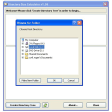
Using GetFolderSize is quite simple, though the first time you launch the program it may take you a while to find your way. All you need to do is select the drive you want to scan in the top left corner drop-down menu and click the arrow button on the side.
GetFolderSize will scan the selected drive and then display a list with all the folders and their correspondent size. If you click on any of these folders, the contents will be displayed on the right pane. The analysis can take a while, especially if you're working with large folders.
The list generated by GetFolderSize can be saved to TXT or CSV, and also printed. The app is also embedded with Windows Explorer, which means you can access it from any folder's context menu.
GetFolderSize scans an entire drive and displays the exact size for each folder and subfolder in that drive.
NEW: Toolbar: Added the sub option 'Count the filesize of hard links once only (slower)' at the button 'Start'NEW: Toolbar: Added the sub option 'Show percent bar in front of folder names' at the button 'Start'NEW: Options: Now you can specify the date/time format used to render the timestamp of filesFIX: Various optimizations and new enhancements have been introduced in various sections of GetFoldersize. Various bugs have been fixed
Changes
NEW: Toolbar: Added the sub option 'Count the filesize of hard links once only (slower)' at the button 'Start'NEW: Toolbar: Added the sub option 'Show percent bar in front of folder names' at the button 'Start'NEW: Options: Now you can specify the date/time format used to render the timestamp of filesFIX: Various optimizations and new enhancements have been introduced in various sections of GetFoldersize. Various bugs have been fixed








.jpg)



















User reviews about GetFolderSize
Have you tried GetFolderSize? Be the first to leave your opinion!